
Import
Import
Step 1 of 6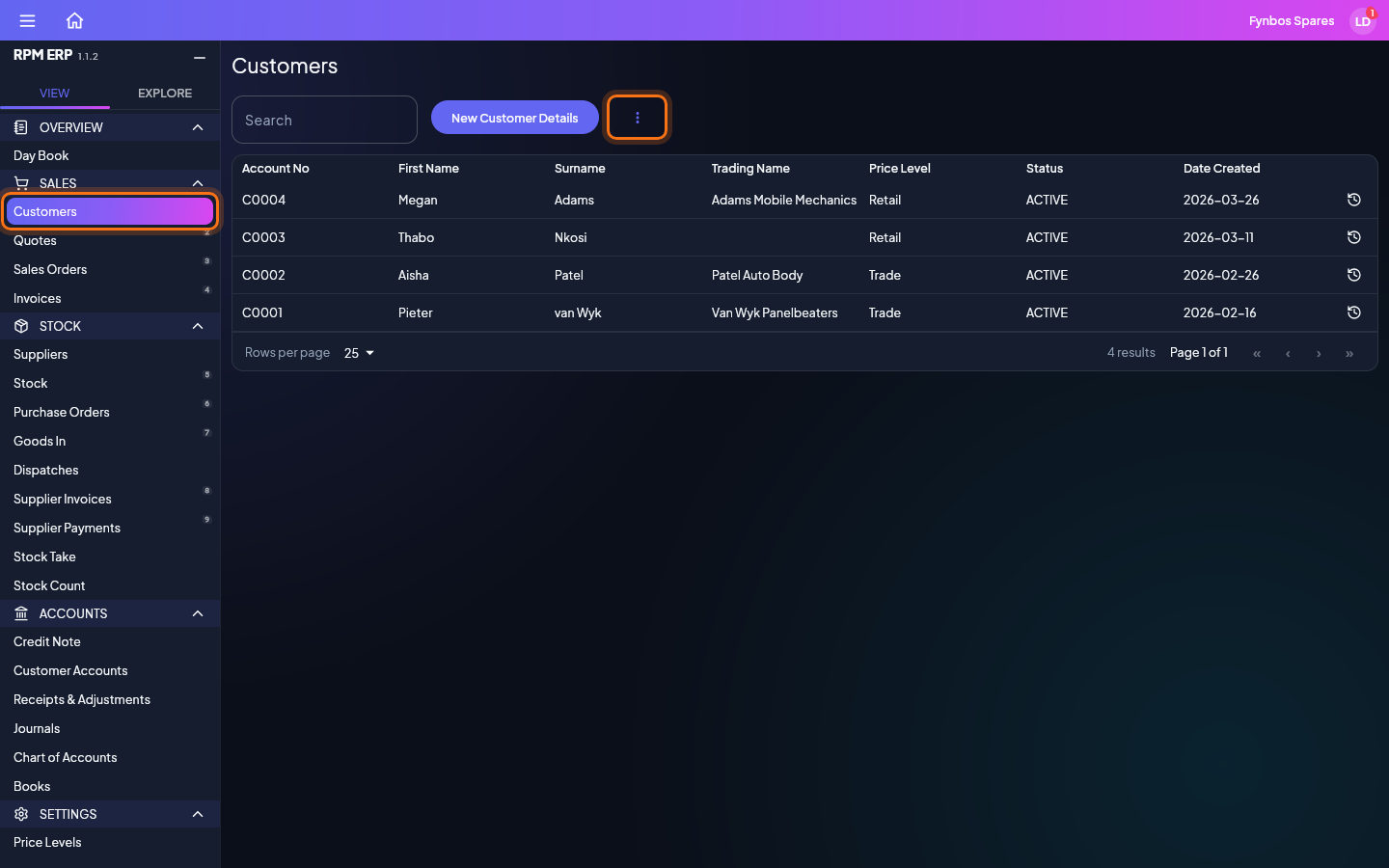
Customers, suppliers and stock can be filled in from a spreadsheet instead of typed. In the side menu, click Customers, and the list opens. Import is in the More menu, the three dots beside the search box. It is there for people who have been given Import, and only on lists that take an upload. Batch, beside it, opens the same columns as a sheet to type into, saved the same way.