
Day Book
Day Book
Step 1 of 1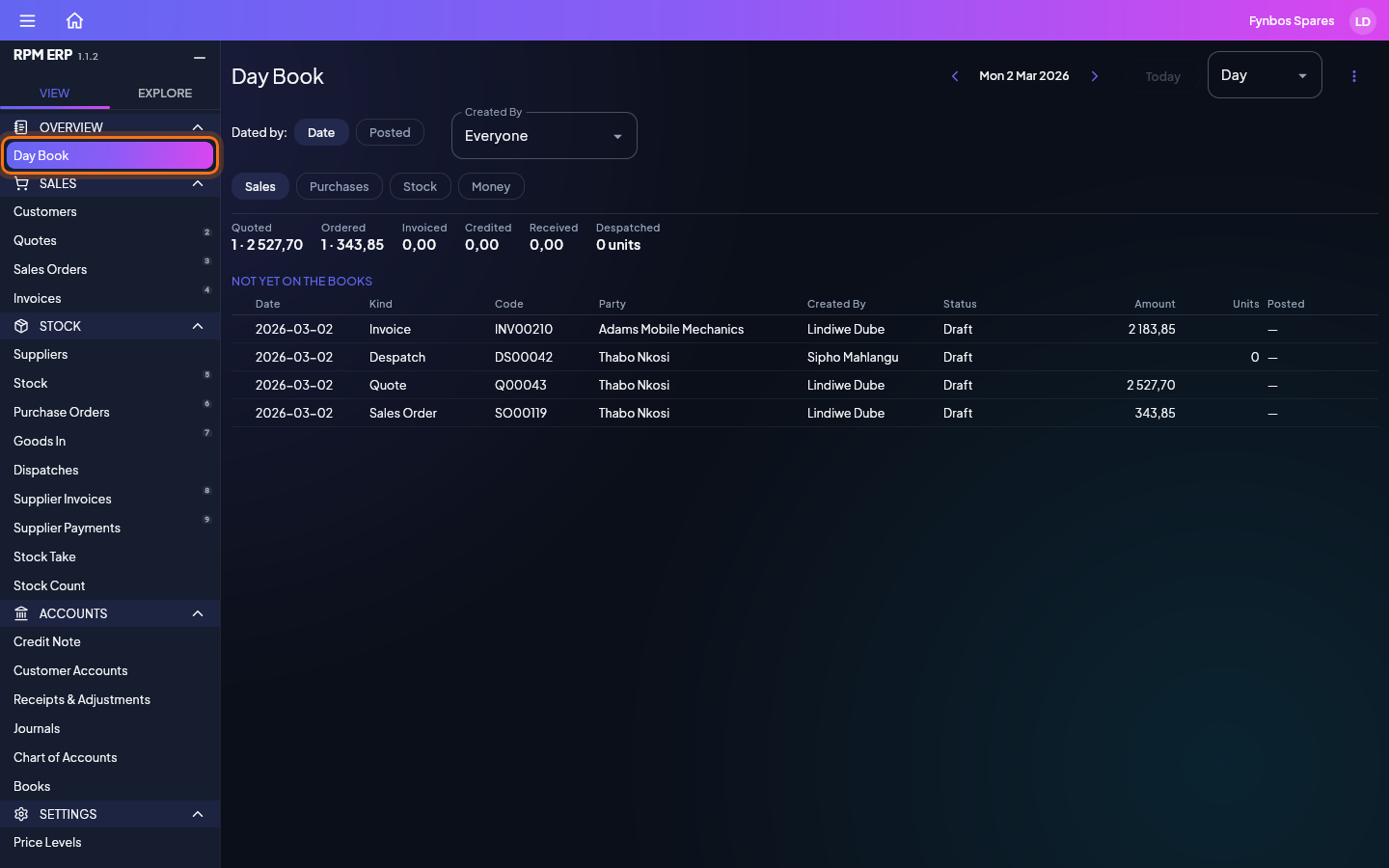
In the side menu, click Day Book, under OVERVIEW. Each tab lists the day's documents: Sales, Purchases, Stock and Money. The strip at the top totals the whole period, and the list shows what is on the books first, then what is not yet. Step a day back or forward with the arrows, or choose Week or Month. Dated by Posted lists what went onto the books that day, whatever it was dated. A calendar-clock mark before a date means the document was dated one day and entered or posted on another: point at it to read both. Click a row to open its document.
Next: Customers