
Books
Books
Step 1 of 3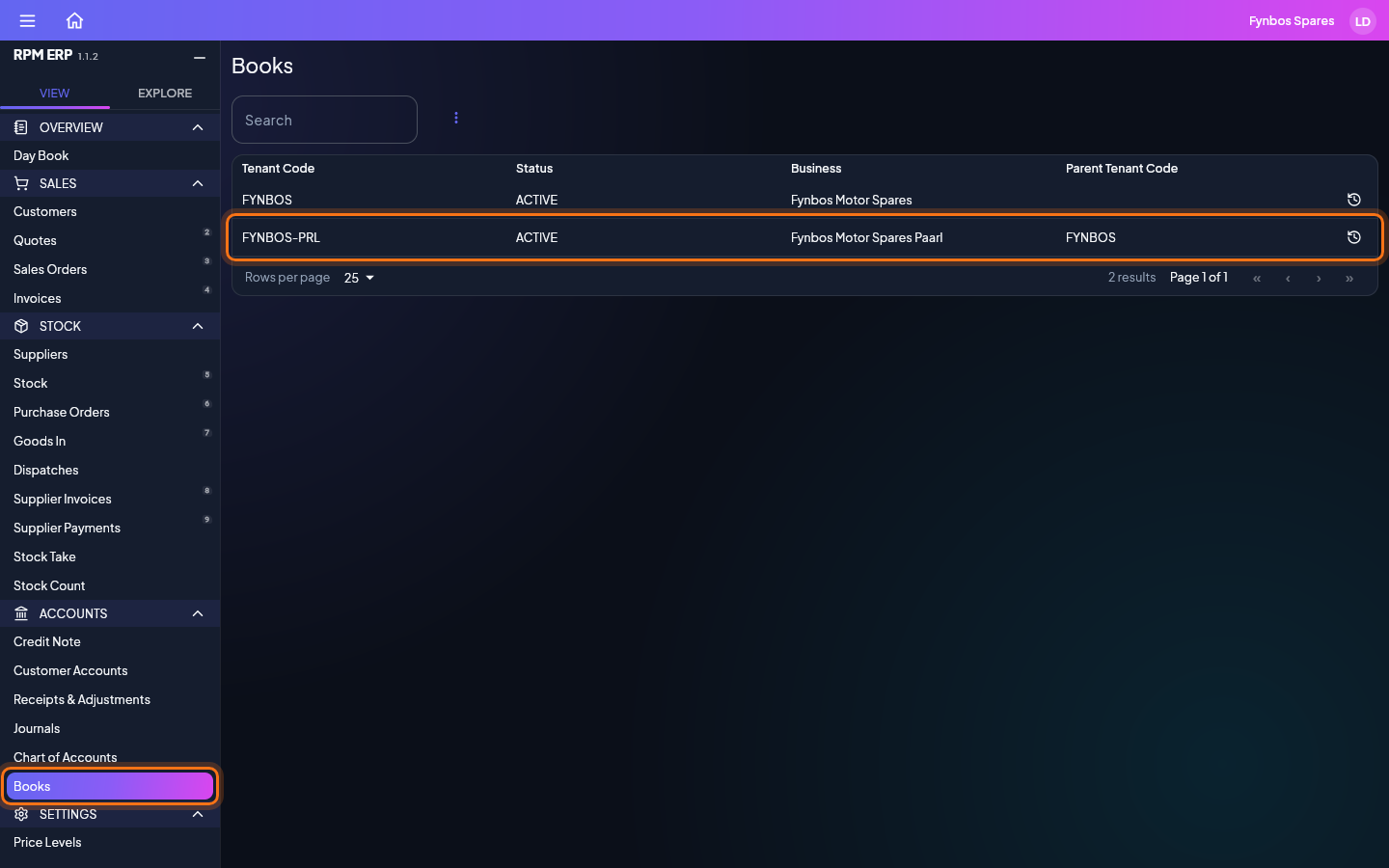
In the side menu, click Books, under ACCOUNTS. Books opens on a list. Search it or scroll to find the one you want, and click it.
Documents
What Books prints, made from the same example as the steps above.
- PDFProfit and LossMore, then Export, then Profit and Loss (PDF), for 2026-02-01 to 2026-02-28: the sample business's books, as the server writes them from its posted journals.2 KBOpenDownload
- PDFBalance SheetMore, then Export, then Balance Sheet (PDF), as at 2026-02-28: the sample business's books, as the server writes them from its posted journals.3 KBOpenDownload
- PDFTrial BalanceMore, then Export, then Trial Balance (PDF), for 2026-02-01 to 2026-02-28: the sample business's books, as the server writes them from its posted journals.5 KBOpenDownload
- PDFTax ReportMore, then Export, then Tax Report (PDF), for 2026-02-01 to 2026-02-28: the sample business's books, as the server writes them from its posted journals.2 KBOpenDownload
- PDFAged DebtorsMore, then Export, then Aged Debtors (PDF), as at 2026-02-28: the sample business's books, as the server writes them from its posted journals.2 KBOpenDownload
- PDFAged CreditorsMore, then Export, then Aged Creditors (PDF), as at 2026-02-28: the sample business's books, as the server writes them from its posted journals.2 KBOpenDownload
- PDFCash UpMore, then Export, then Cash Up (PDF), for 2026-02-27 to 2026-02-28: the sample business's books, as the server writes them from its posted journals.3 KBOpenDownload
- PDFStock ValuationMore, then Export, then Stock Valuation (PDF), as at 2026-03-02: the sample business's books, as the server writes them from its posted journals.2 KBOpenDownload